
Library user guide#
Use this page if you intend to call Sequana from Python or a Jupyter notebook — to read NGS file formats, compute metrics, or assemble report sections from a script.
For end-users running pre-built pipelines, see Pipeline user guide instead.
Test data#
Sequana ships a small data folder accessible from Python via
sequana_data():
from sequana import sequana_data
filename = sequana_data('JB409847.bed')
A complete list of bundled files is in sequana.datatools.
Coverage from a BED file#
Read a BED file produced by bedtools genomecov:
from sequana import SequanaCoverage
gc = SequanaCoverage(filename)
Select a chromosome, compute the running median and z-score:
chrom = gc[0]
chrom.running_median(n=5001, circular=True)
chrom.compute_zscore()
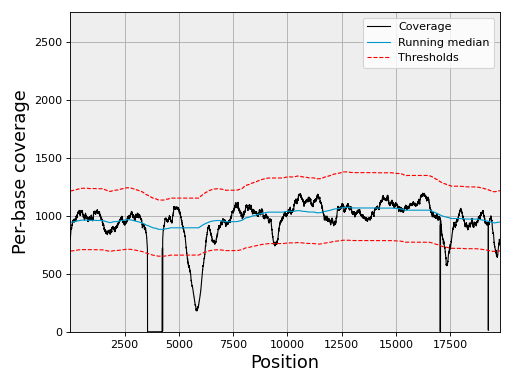
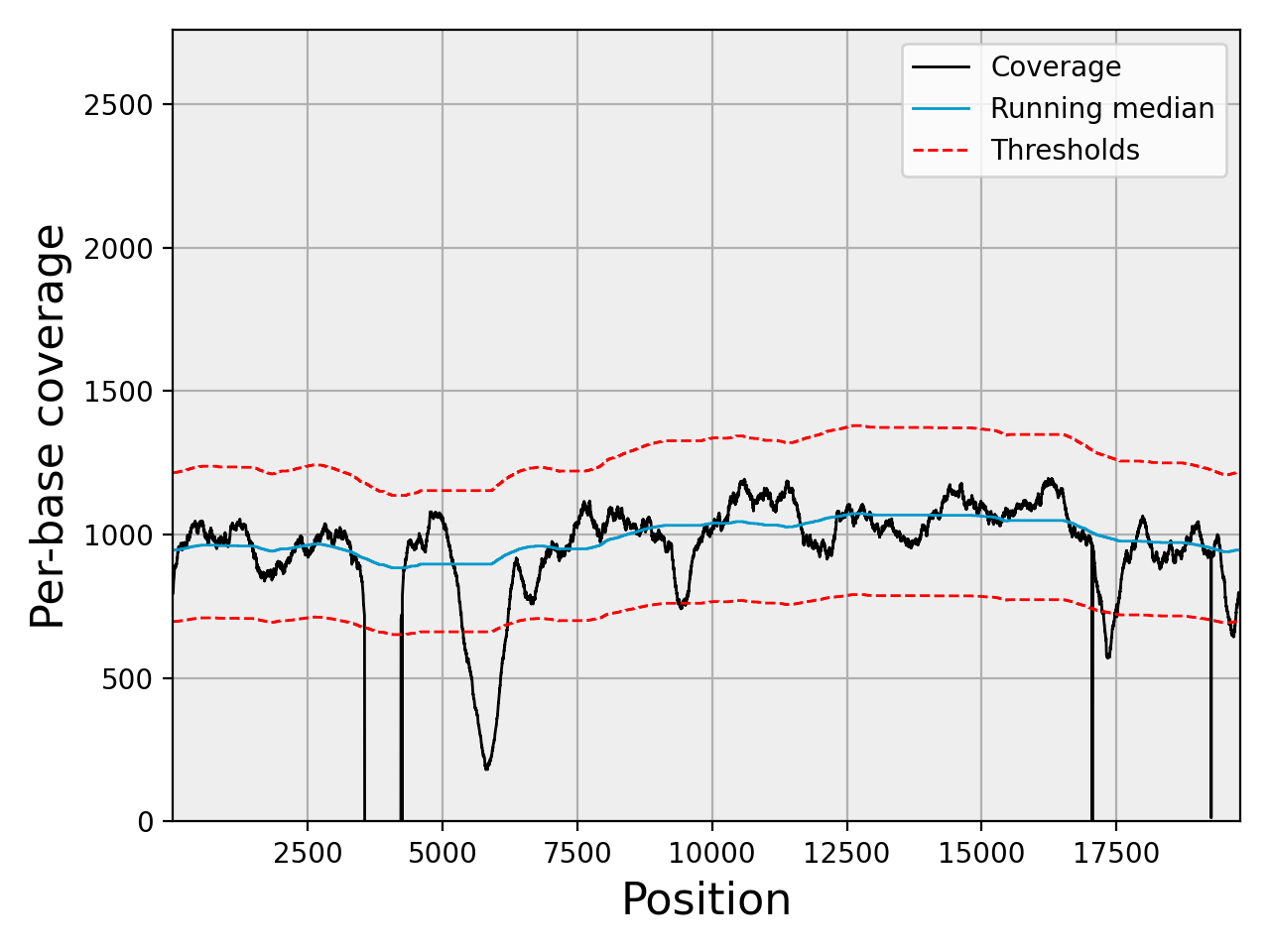
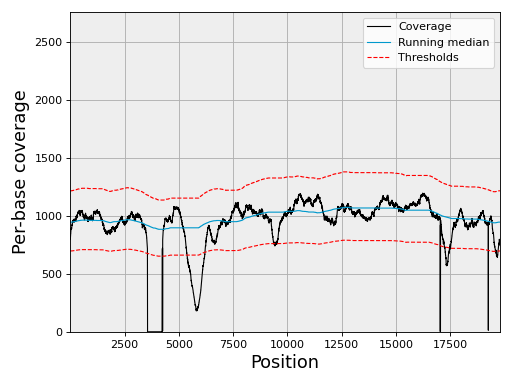
Plot the coverage with its 3-sigma confidence band:
chrom.plot_coverage()
(Source code, png, hires.png, pdf)
A matching notebook is at notebooks/coverage.ipynb.
FastQ inspection#
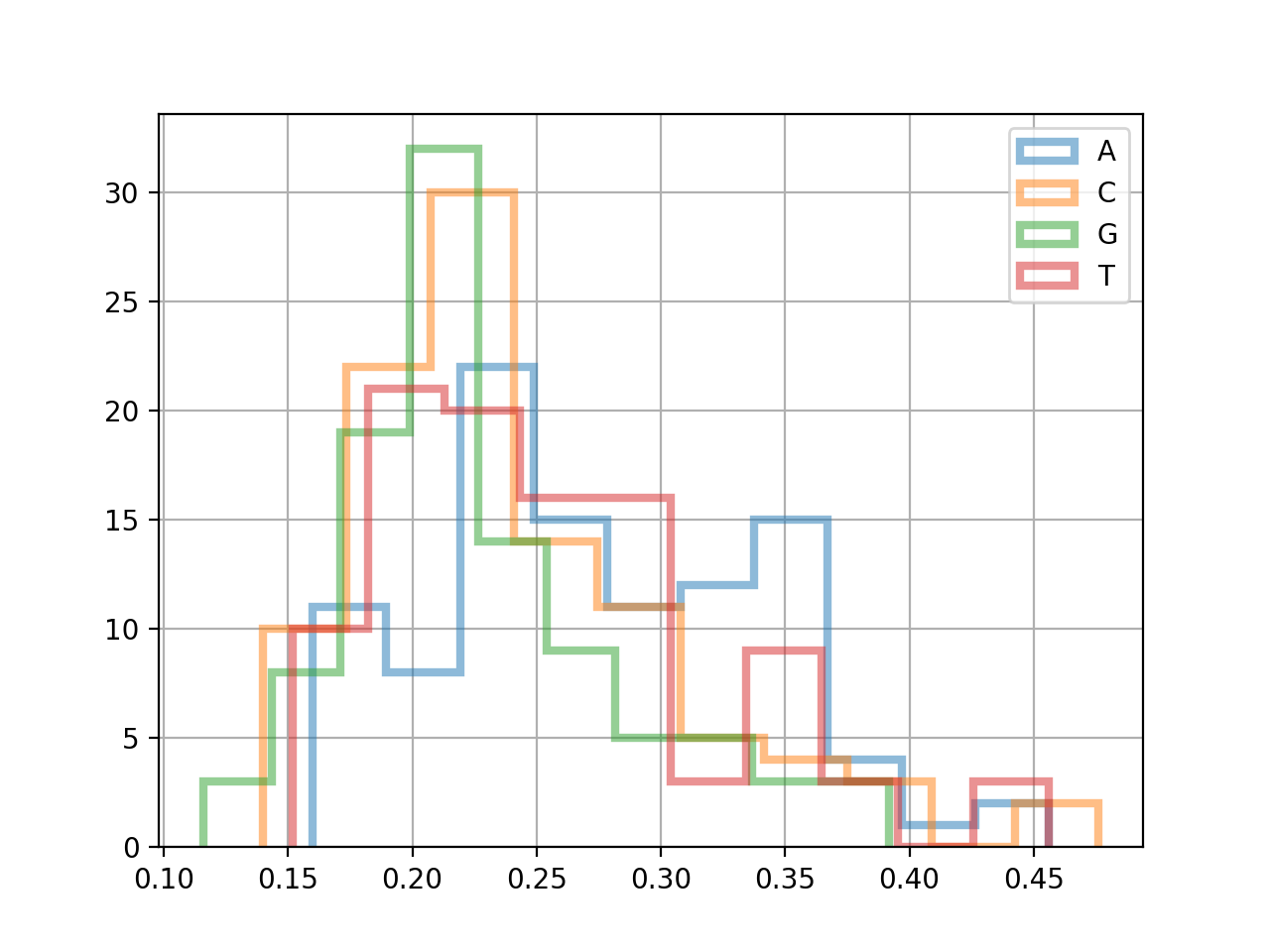
The FastQC class exposes per-read metrics:
from sequana import FastQC, sequana_data

fastqc = FastQC(sequana_data("test.fastq"))
print(fastqc.fastq)
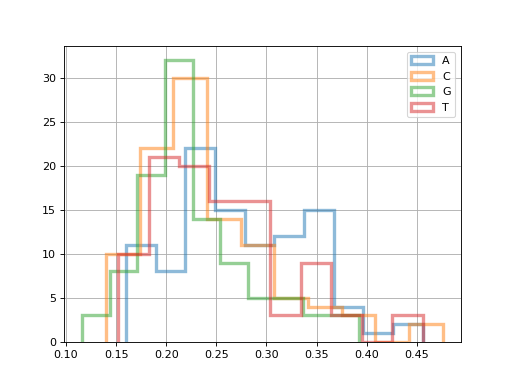
for x in 'ACGT':
    fastqc.get_actg_content()[x].hist(
        alpha=0.5, label=x, histtype='step', lw=3, bins=10)
from sequana import FastQC, sequana_data
fastqc = FastQC(sequana_data("test.fastq"))
for x in 'ACGT':
    fastqc.get_actg_content()[x].hist(
        alpha=0.5, label=x, histtype='step', lw=3, bins=10)
from pylab import legend
legend()
(Source code, png, hires.png, pdf)
Reading sequence data (FASTA/FASTQ)#
The FastA and FastQ classes
read and manipulate sequence files:
from sequana import FastA, sequana_data
fasta = FastA(sequana_data("measles.fasta"))
for record in fasta:
    print(record.name, len(record.seq))
Access GC content and other sequence metrics via DNA.
Annotations (GFF3/GenBank)#
Parse genome annotations with GFF3 or
GenBank:
from sequana import GFF3, sequana_data
gff = GFF3(sequana_data("annotations.gff3"))
genes = [r for r in gff if r.feature == "gene"]
Variants (VCF)#
The VCF class reads and filters VCF files:
from sequana import VCF, sequana_data
vcf = VCF(sequana_data("variants.vcf"))
for variant in vcf:
    print(variant.CHROM, variant.POS, variant.REF, variant.ALT)
Taxonomy (Kraken)#
Classify sequences and parse Kraken output with sequana.kraken:
from sequana.kraken import KrakenResults
kr = KrakenResults(sequana_data("kraken.out"))
kr.plot()  # Krona pie chart
Building HTML report sections from Python#
Sequana's pipeline reports are assembled from reusable building blocks in
sequana.modules_report. You can call them on your own data.
Example for a BAM file:
from sequana import BAM, sequana_data
from sequana.modules_report.bamqc import BAMQCModule
BAMQCModule(sequana_data("test.bam"), "bam.html")
The generated bam.html is a self-contained page (see
bam.html for a rendered example).
To build a brand-new report module, see Module reports in the developer guide.
Feature counting and differential expression#
Count reads per feature (gene, exon, etc.) with FeatureCounts:
from sequana import FeatureCounts
fc = FeatureCounts("counts.txt")
df = fc.df  # pandas DataFrame of gene counts
For differential expression, see sequana.rnadiff (wraps DESeq2) and
sequana.enrichment for KEGG/GSEA enrichment analysis.
Protein structures (PDB)#
Parse and analyze 3D protein structures from PDB files with
sequana.pdb:
from sequana.pdb import parse_pdb
structure = parse_pdb("protein.pdb")

# Iterate over chains and residues
for chain in structure.models[0].chains:
    seq = chain.sequence()  # Get amino acid sequence
    print(f"Chain {chain.chain_id}: {len(chain.residues)} residues")

# Access atoms and coordinates
for residue in chain.residues:
    ca = residue.get_atom("CA")  # Alpha carbon
    if ca:
        print(f"{residue.name}{residue.seq}: {ca.coordinates()}")
Compute RMSD and align structures:
from sequana.pdb import parse_pdb, rmsd, superpose

pdb1 = parse_pdb("structure1.pdb")
pdb2 = parse_pdb("structure2.pdb")

# Get first chain from each structure
chain1 = list(pdb1.models[0].chains.values())[0]
chain2 = list(pdb2.models[0].chains.values())[0]

# Calculate RMSD between CA atoms
distance = rmsd(chain1.coordinates(), chain2.coordinates())
print(f"RMSD: {distance:.2f} Å")

# Superpose and align structures
rotated, R, rmsd_val = superpose(chain1.coordinates(), chain2.coordinates())
print(f"RMSD after alignment: {rmsd_val:.2f} Å")
Where to look next#
API reference — the full module index.
Gallery — Sphinx-Gallery of short, runnable scripts.
Notebooks — Jupyter notebooks demonstrating BAM, coverage, FastQ, feature counts and ribodesigner workflows.
CLI reference — the
sequanaCLI sub-commands (some of these wrap the Python API).